Wire it. Power it. Measure it.
Two virtual benches for electrical pre-trade students and tutors. Wire motor-control circuits on the motor panel, and switchboards, lighting and power circuits on Switchboard. Then test, fault-find and check your work on your phone, tablet or laptop before you touch the real thing.
Two benches, one licence
Each bench is a full app with its own assignments and checker. A school licence covers both, and the same key unlocks both.
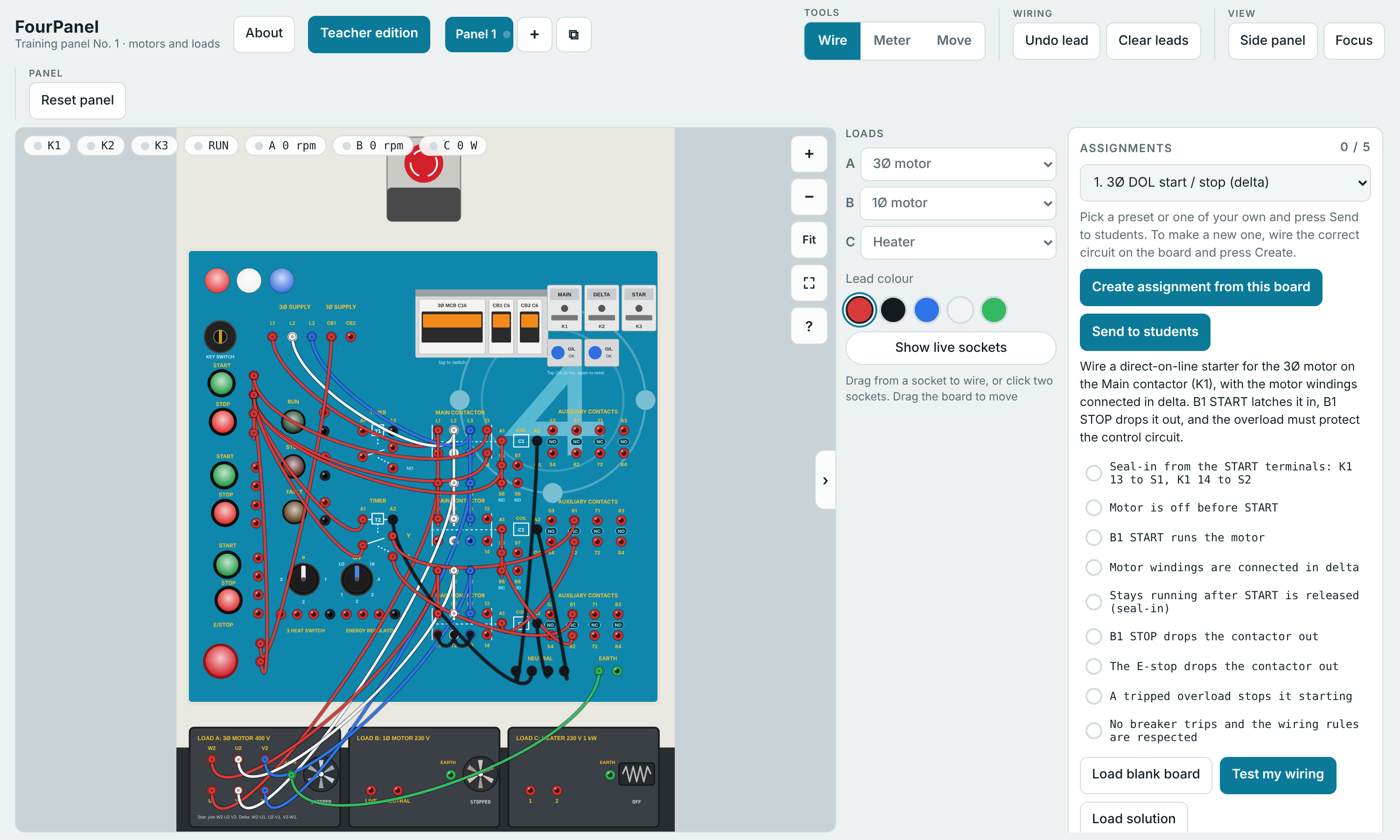
Motor control
Contactors, overloads, timers, DOL, forward/reverse, interlocks and star-delta on a virtual plug-and-play training panel.
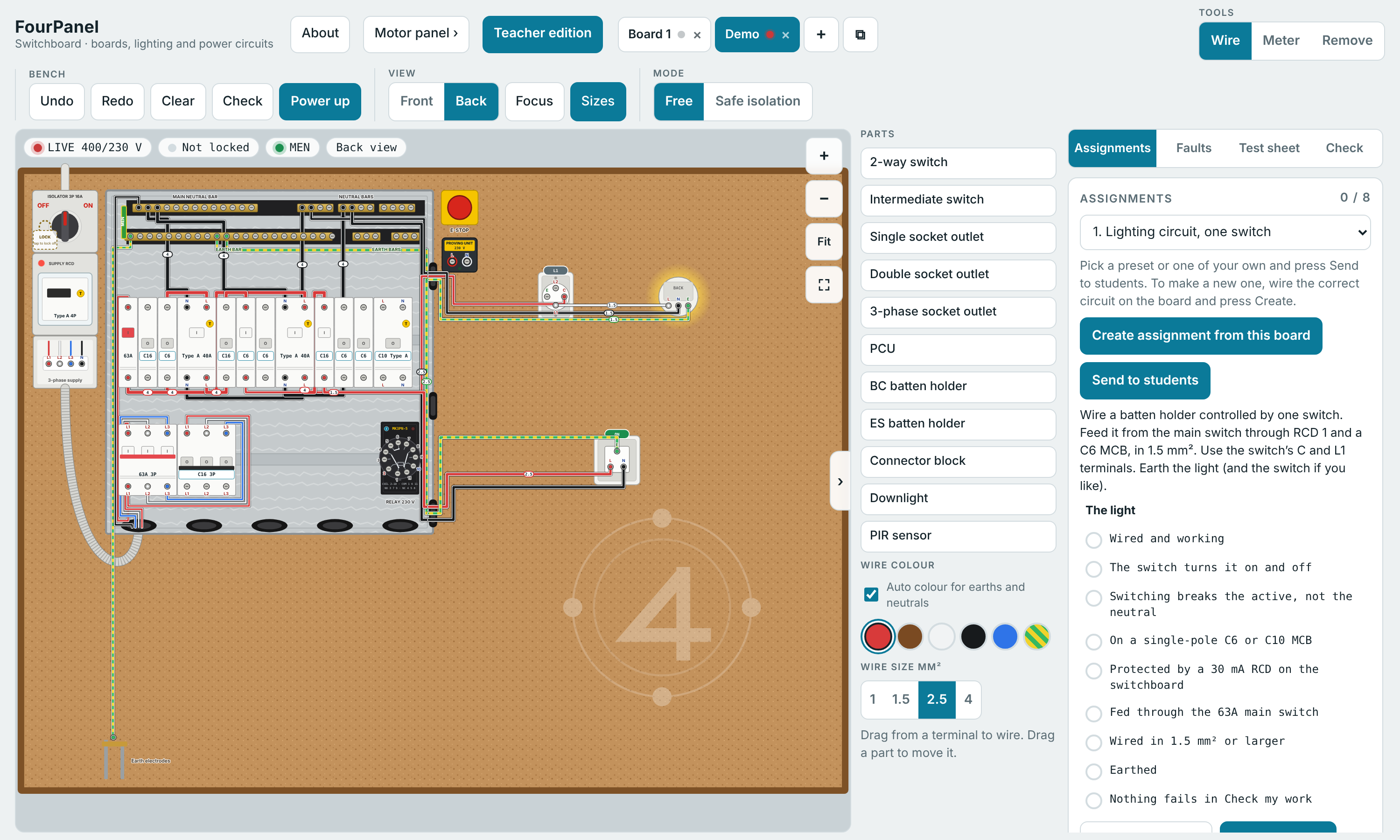
Switchboards and final subcircuits
Feed RCDs and MCBs from the main switch, then wire lighting (one switch, 2-way and intermediate), socket outlets, a towel rail and a 3-phase outlet. Test it and fault-find it like on the job.
Motor panel: everything on the bench, nothing to break
Wire it the way you would on the real panel. The simulator behaves like the real thing, so a wrong lead shows up as a wrong result.
Contactors, overloads and interlocks
Main, Delta and Star contactors with overloads in the poles, auxiliary contacts, seal-ins and an E-stop in the control circuit.
Timers, including star-delta
An on-delay changeover timer and a star-delta timer with adjustable delays. Star pulls in first, then Delta after the delay.
3Ø and 1Ø motors
Watch speed, direction and current. In star and delta you can read line and phase voltage and current and see the √3 relationship.
A real multimeter
Tap any two sockets to read volts, the way you would with a meter on the panel.
Wiring rules enforced
Nothing can be wired from a neutral through a switch, contactor or overload, and timers only go on control circuits.
Works anywhere
Phone, tablet or laptop. Install it to your home screen and it works offline in the workshop.
Switchboard: a board you can't hurt
A 3-phase supply into a real-world board layout, a cork board for fittings, and the testing and fault finding you do on site.
A real board layout
63A main switch, Type A RCDs with their own neutral bars, C6/C10 and C16/C20 MCBs, an RCBO, a 3-pole C16, MEN link, earth bar and electrode.
Lights, switching and power
2-way and intermediate switching, batten holders, downlights, single, double and 3-phase socket outlets and a PCU, wired terminal by terminal from the back.
Test like you would on the job
Prove dead, earth continuity, insulation resistance, polarity, earth fault loop impedance and RCD trip time, recorded on a test sheet that is marked for order and results.
Fault finding
Students add a random wiring fault to their own board and track it down. Teachers can plant hidden faults (open circuits, high-resistance joints, low IR, slow RCDs) and send the job as a link.
Checked against the rules
Check my work powers a copy of the board, tries every switch position and marks RCD and overcurrent protection, cable sizes, polarity, switching, earthing, colours and terminations.
Live, but safe
Trip RCDs and breakers, blow the service fuses, find a live earth. It all happens on screen, with no one getting hurt.
Student edition and Teacher edition
Both benches come in two editions. Students use the student links. Teachers get separate links with the extras.
Build it yourself
- A blank board. The solved circuits aren't in the student version at all
- Assignments with a brief, hints and a Check my wiring button
- Each check runs your circuit and tells you what passed or failed
- Switchboard: a test sheet and random faults to practise on your own board
- Open a link from your teacher to add their assignment or fault-finding job
- Save and reload your own boards
Demonstrate and check
- Everything in the student edition
- Motor panel presets: DOL, forward/reverse, interlocked motors, star-delta, single-phase
- Load the solution to any assignment, on either bench
- Create your own assignments: wire the correct circuit, add a brief and hints, and send students a link
- Switchboard: plant hidden faults on a board and send it as a fault-finding job
- Provided to teachers as a separate link
Made to use at the bench
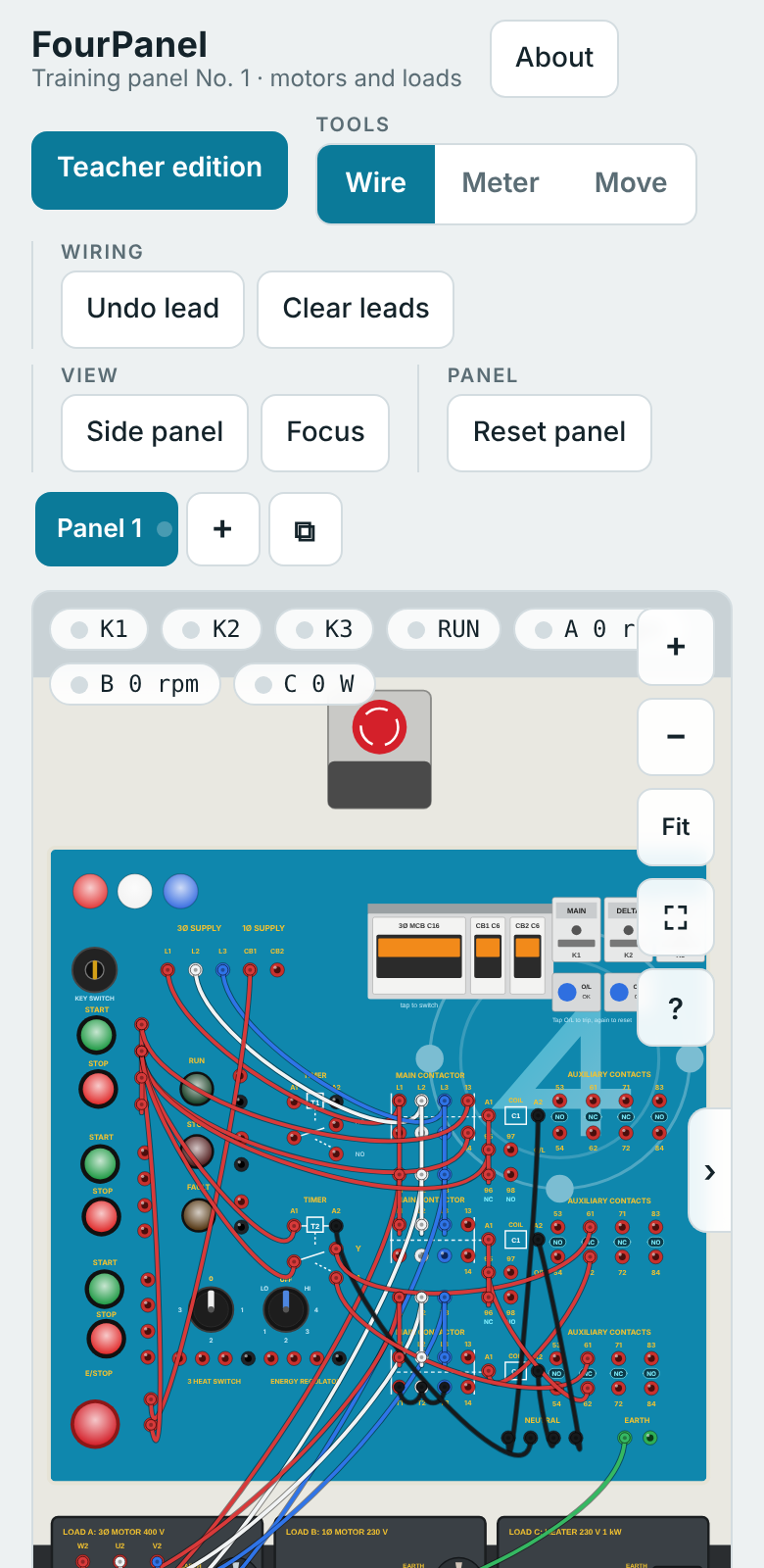
Drag between sockets or tap two to wire. Pinch to zoom on a phone, wheel to zoom on a computer, and use the focus view for a bigger board. Open several panels in tabs to compare circuits side by side.
Licence FourPanel
A school licence covers both benches, for every student and every teacher at your school, for a year. You receive a student link to give your students and a teacher key for your staff. The same key unlocks the motor panel and Switchboard. Anyone can try a 20-minute demo of each bench, with its first assignment, before you decide.
Or email TrainingFour@outlook.com
Questions
What can I do without a licence?
Try each bench with its first assignment and checker, free for 20 minutes of use per bench. A demo ends when the time is up or the first assignment is passed, whichever comes first. The other assignments, teacher-made assignments and fault-finding jobs, and the teacher editions need a school licence.
Does one licence cover both benches?
Yes. The motor panel and Switchboard use the same school licence and the same key. Enter it once in either bench and the other one is unlocked on that device too.
How does a school licence work?
One licence covers the whole school for a year: all students, all teachers and both benches. We send the school a student link and a teacher key. Students open the student link once and it unlocks on their device. Teachers open the teacher link, which includes the presets, solutions and the tools for making and sending assignments and fault-finding jobs.
Can the school share it with anyone else?
Licences are for the named school only. The school's name and the expiry date show inside the app, and the keys stop working when the licence ends, so it needs renewing each year. Passing it to other schools or the public isn't allowed under the licence terms.
Do students need accounts? Is student data collected?
No accounts and no student data. Boards and progress are saved in the student's own browser.
Does it work offline?
Yes. Open it once with a connection, then add it to your home screen or install it from your browser. After that it runs without internet, including licence checks.
Can teachers set their own tasks?
Yes. Wire the correct circuit in the teacher edition, add a brief and hints, and send students a short link. Students are checked on what their circuit does, and your wiring isn't included in the link.
Is it the same as the real panel?
The motor panel models a typical plug-and-play motor-control training panel, and Switchboard models a workshop distribution board bench, both using the conventions taught in NZ electrical pre-trade courses. They are training aids, not a replacement for supervised practical training, your tutor or the wiring rules.
Which standard does it follow?
The circuits, checks and Switchboard test limits are based on conventions commonly taught in NZ electrical pre-trade courses, with AS/NZS 3000 as the reference. FourPanel is not approved, certified or endorsed by Standards New Zealand or any regulator, and passing a check in the app does not mean a real installation complies. Always isolate, prove dead and tag out before working on real equipment.